


VOIP Module
Your clinic phone, working inside Clinicmaster.
The VOIP module connects your cloud phone system to your patient records. An incoming call is matched to the caller and logged to their file before your team picks up — and automated reminder calls let patients confirm or cancel appointments by keypad, in their own language.
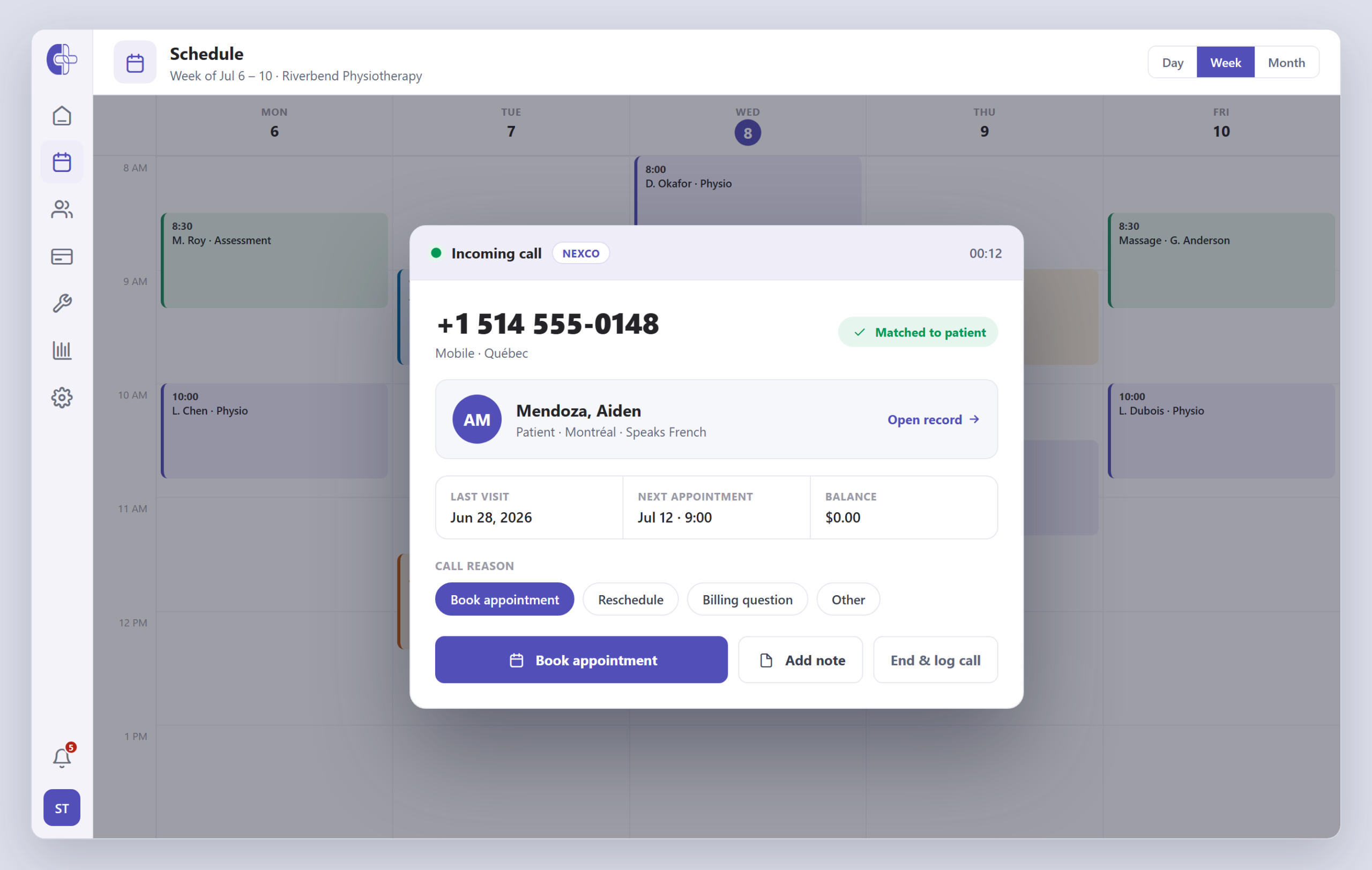
The VOIP module
Clinicmaster's VOIP module links a cloud phone system to your records. Inbound calls are matched to the patient by number and saved as a structured call summary; automated outbound calls play a multilingual voice message that lets patients confirm or cancel appointments by keypad. It connects to your phone system — it does not replace it or carry the call audio, and it is licensed and configured per clinic.
What the VOIP module does.
Your phone system handles the calling; Clinicmaster turns every call into context, a clean record, and — for reminders — an answer. Two directions, one patient record.
Caller ID → instant patient match
When the phone rings, the caller's number is matched against every patient phone on file — cell, home, work or other — and the record surfaces before you answer.
Every call logged to the record
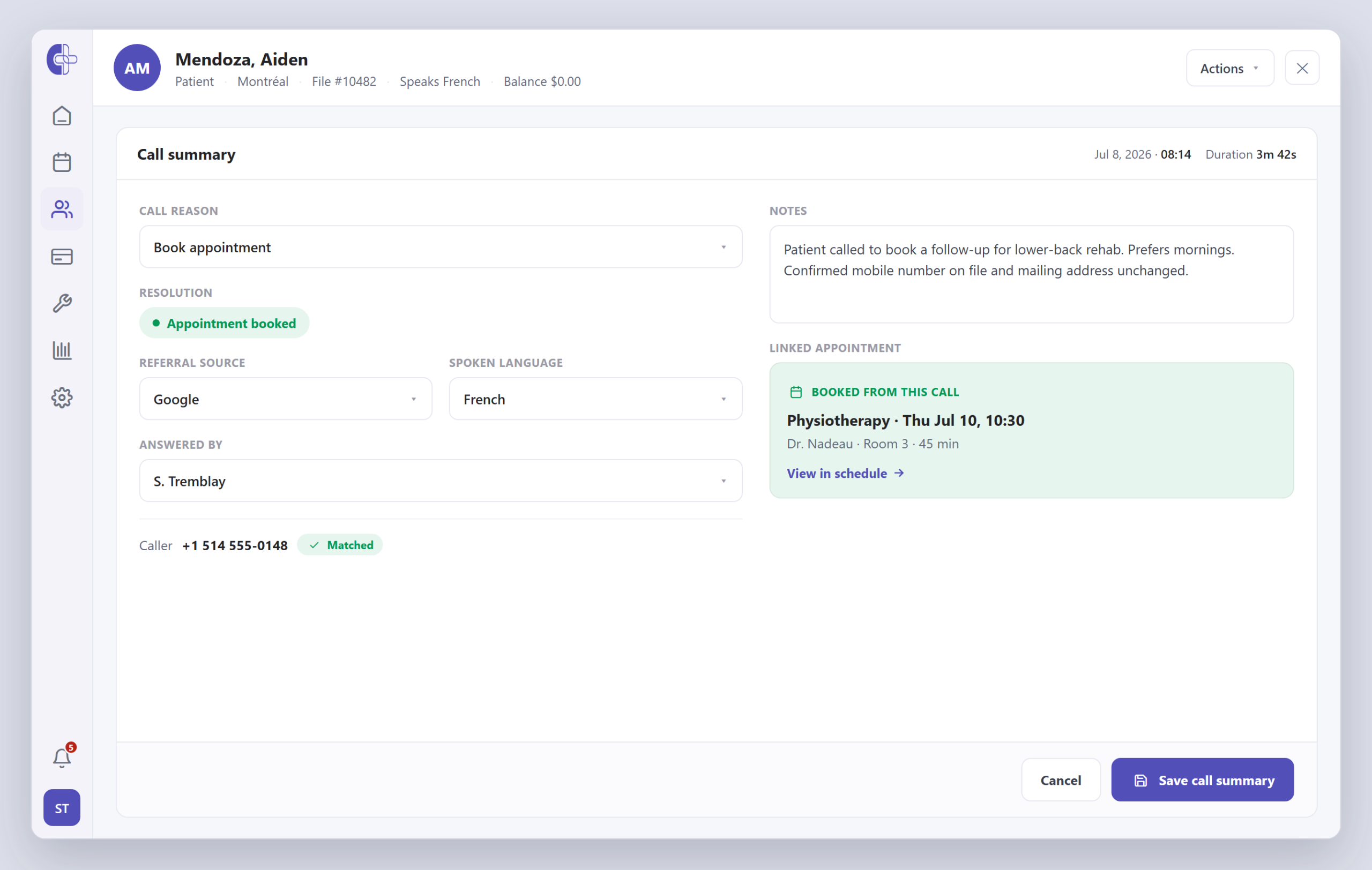
Each inbound call becomes a summary tied to the patient: reason, who answered, resolution, spoken language, duration and free-text notes — no separate call log to reconcile.
Calls tied to the appointments they create
When a call ends in a booking, the appointment is linked to the call summary — so you can see which calls turned into scheduled visits.
Automated voice appointment reminders
Outbound calls play a voice message in the patient's language and let them confirm or cancel the appointment straight from the keypad — the confirmation writes back to the schedule.
Queues & staff mapping
Route calls through phone queues and map each extension to the right Clinicmaster staff member, so the log always shows who handled the call.
Configurable reasons, resolutions & referral source
Reason and resolution lists — and the referral source captured on each call — are configured to match how your clinic actually triages the phone, so reporting stays consistent.
From ring to record, without the lookup.
No search box, no asking callers to repeat details you already have. Scroll to walk a call from the first ring to a logged summary on the patient's record.
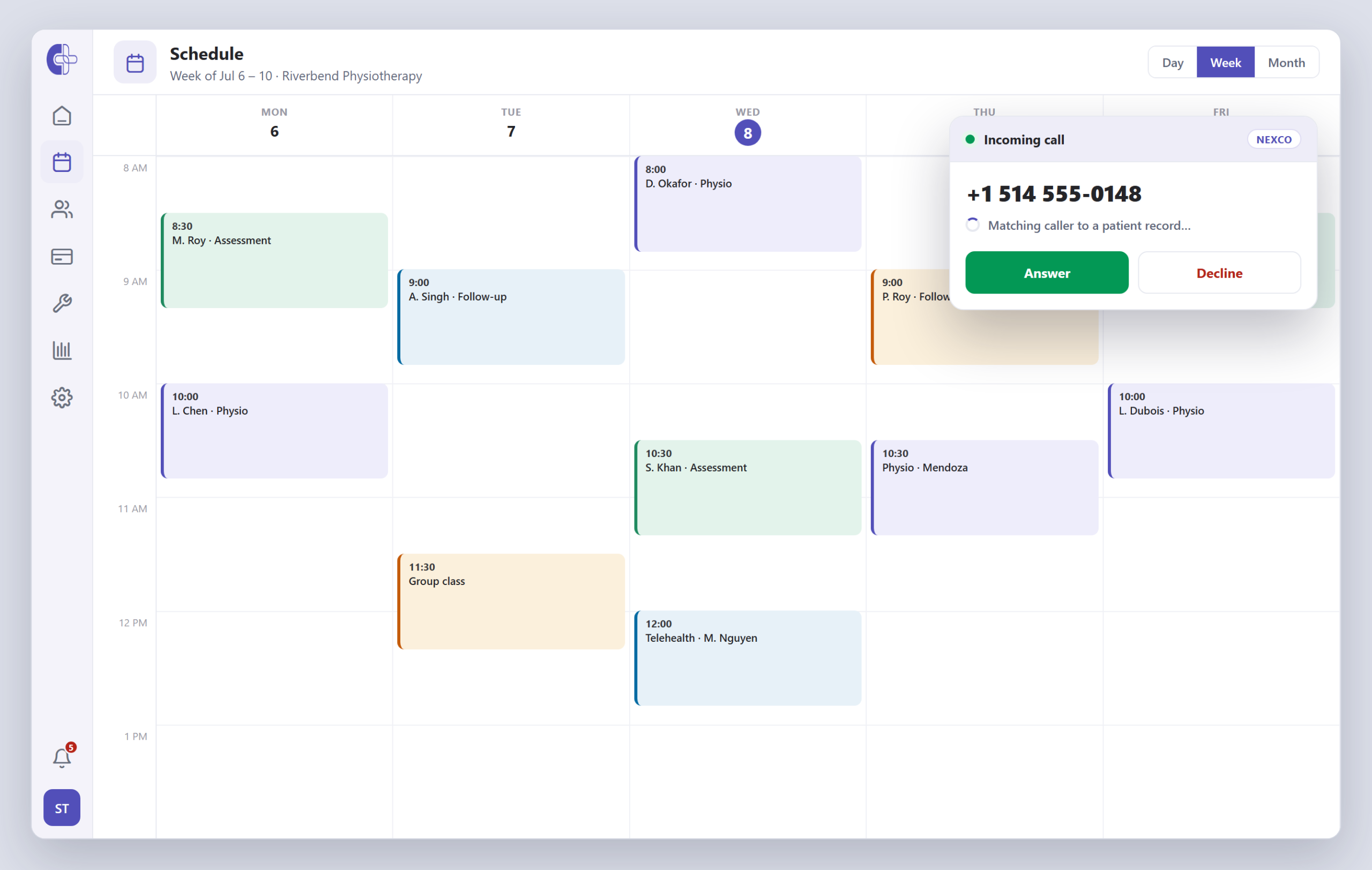
A patient calls your line.
Your VOIP provider connects the call to a queue and sends the event to Clinicmaster in real time, which looks the number up against every patient phone on file — while your team stays on the schedule.
- Real-time queue-connect events
- Matched to cell, home, work or other
- No screen to go hunting for
The patient appears before you answer.
When the number matches, the patient's name, type, city and language surface instantly over your calendar — one click opens the full record, and you can set the call reason as you pick up.
- Caller ID → patient match
- Language, last visit & balance at a glance
- Reason & resolution set at the desk
The call is saved as a summary.
Your team tags the reason and resolution, adds notes, and links any appointment booked. The summary lives on the patient record and feeds your call reporting.
- Configurable reason & resolution
- Notes and referral source captured
- Any booked appointment linked back
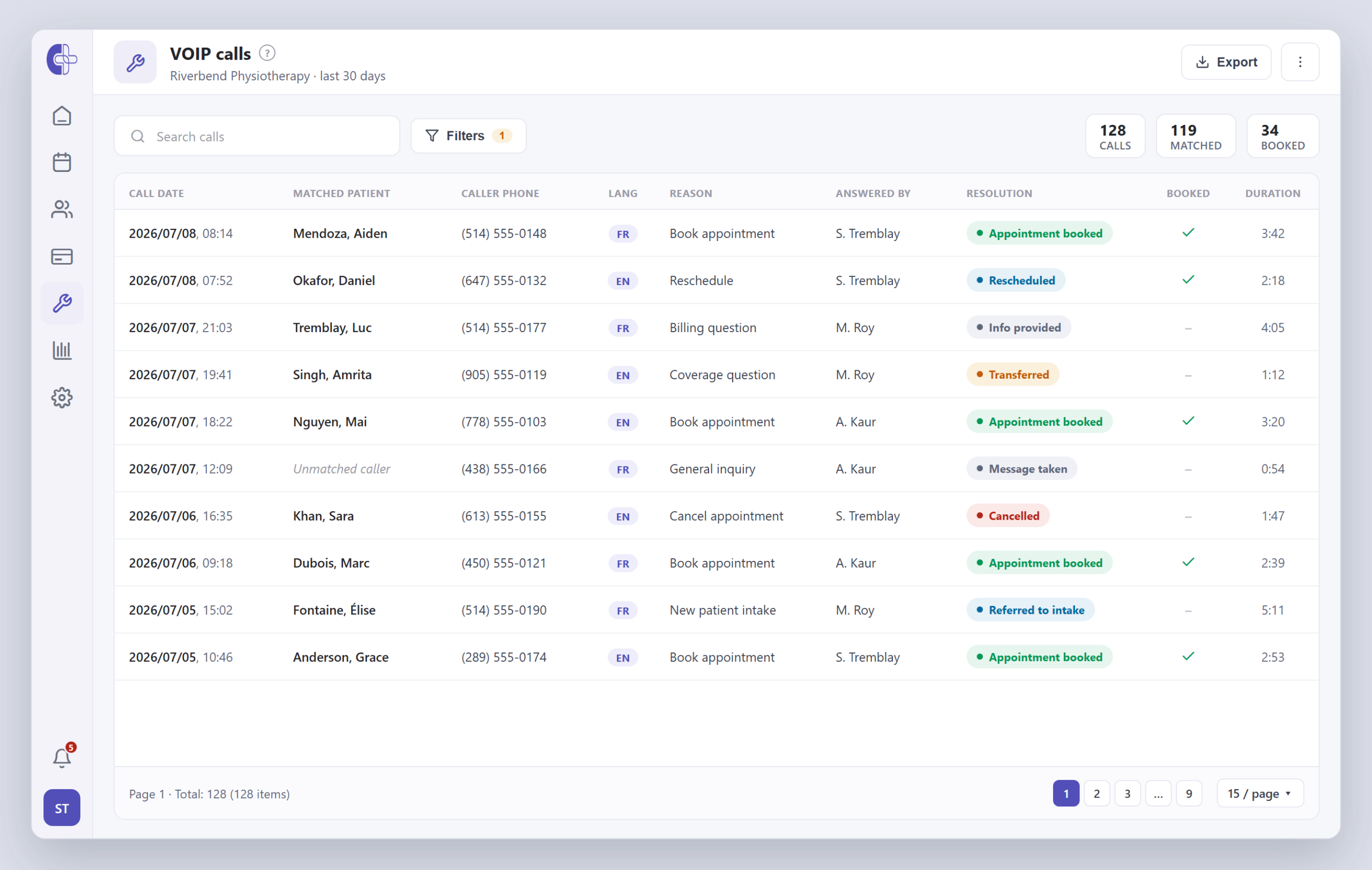
A phone log that already knows who called.
Because every call is matched and dispositioned at the desk, your call log isn’t a list of numbers — it’s a list of patients, with the reason they called and what your team did about it.
- Every inbound call listed against the patient it matched
- Reason, resolution and who answered — at a glance
- Filter by date, staff member, reason or outcome
- Calls that booked an appointment are flagged and linked
Reminders that call — and get an answer.
Alongside SMS and email, Clinicmaster can place an automated voice call to remind patients of an appointment. When they press a key to confirm or cancel, the schedule updates itself.
The reminder that updates the schedule for you.
The keypad, retry count and voice are set per clinic. A confirm marks the appointment confirmed; a cancel frees the slot — no one at the front desk has to touch it.
- A voice message in the patient's language (EN · FR · ES · DE)
- Keypad options confirm or cancel the real appointment
- A missed call retries automatically, up to your set limit
- Call cost and duration are logged for every attempt
“Bonjour Aiden, rappel de votre rendez-vous de physiothérapie jeudi à 10 h 30…”
Everything a front-desk call should leave behind.
Call summaries are structured, not scribbled on a sticky note. Reason and resolution lists are configured to match how your clinic triages calls, so the data is consistent enough to report on.
See the Nexco phone integration- Caller phone, name & email
- Matched patient record
- Spoken language
- Call reason (configurable)
- Answered by (staff)
- Resolution action (configurable)
- Referral source
- Appointment booked from the call
- Call start, end & duration
VOIP module questions.
Scale your Organization with Clinicmaster.
30-minute working session with a solutions engineer. Bring your current numbers — we'll show you the gap.